
Hindi typing has changed significantly over the years. Many government offices, publishing companies, DTP operators and data-entry professionals still work with documents created using legacy Hindi fonts such as Kruti Dev.
However, modern applications, websites and digital platforms increasingly rely on Unicode Hindi text.
This creates a common problem: older Hindi documents typed in Kruti Dev may not display correctly when opened on systems that do not have the required legacy font installed.
The solution is to convert Kruti Dev text into Unicode, commonly displayed using fonts such as Mangal.
A reliable Kruti Dev to Unicode Converter can help users convert legacy Hindi text into modern Unicode format while reducing the time and effort involved in manual conversion.
In this guide, we will explain the difference between Kruti Dev and Unicode, how Hindi font conversion works, how to convert multiple Word documents and which software tools can help simplify the process.
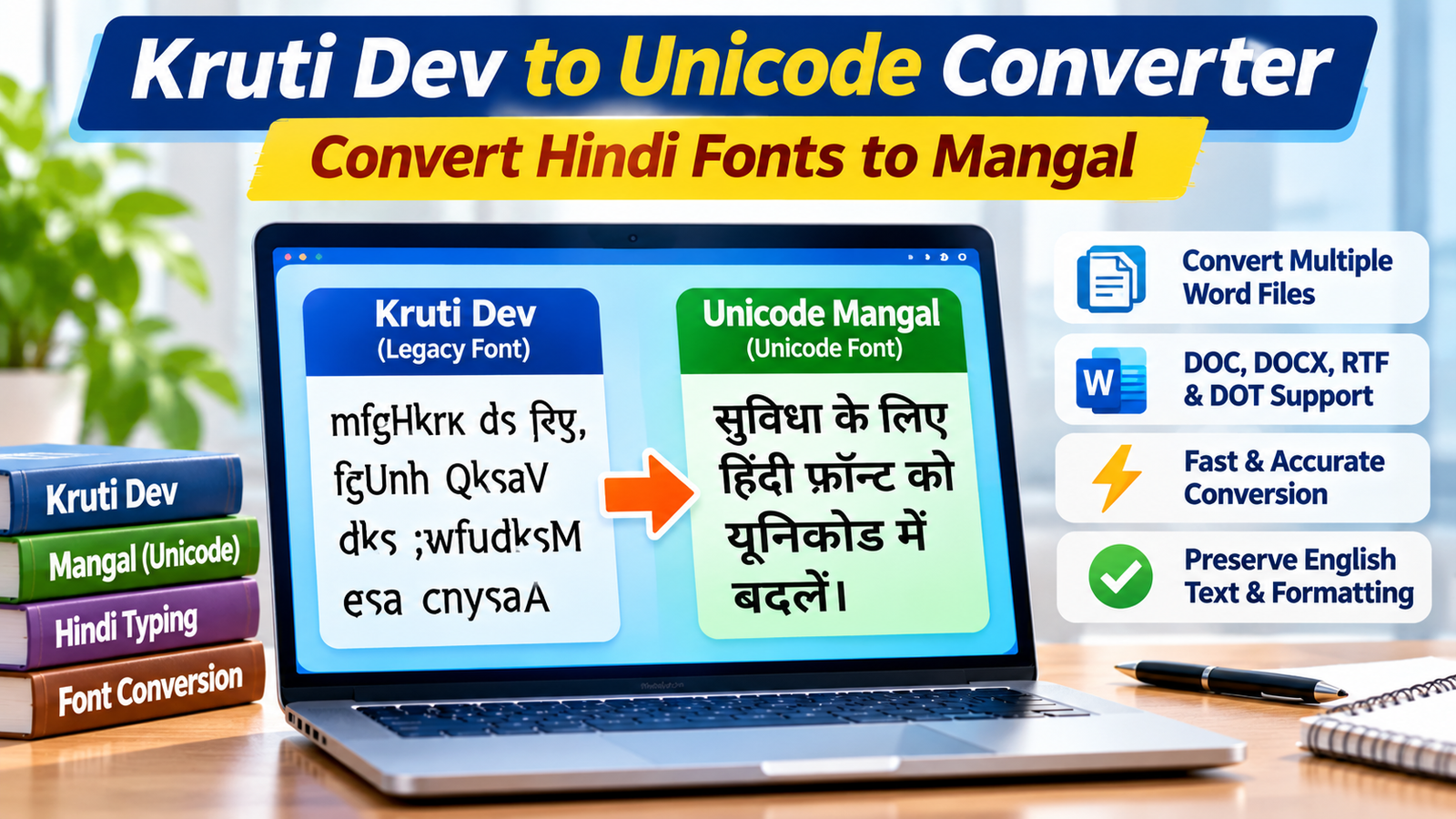
What Is Kruti Dev Font?
Kruti Dev is a popular legacy Hindi typing font that has been widely used in India for Hindi documentation, publishing, government work, DTP operations and data entry.
It uses a legacy font encoding system rather than standard Unicode character encoding.
This means the text may appear correctly only when the appropriate Kruti Dev font is installed.
For example, a document typed in Kruti Dev may display correctly on one computer but appear as English characters, symbols or unreadable text on another computer without the required font.
This can create difficulties when sharing documents, publishing Hindi content online or transferring files between different systems.
What Is Unicode Mangal Font?
Mangal is a widely used Unicode font for displaying Hindi and other Devanagari scripts.
Unlike legacy font-based text, Unicode represents characters using standardized character codes.
This makes Unicode Hindi text more compatible with modern operating systems, browsers, applications and digital platforms.
Some important advantages of Unicode include:
- Better compatibility across different devices.
- Easier sharing of Hindi documents.
- Improved Hindi text searching.
- Better support for websites and online publishing.
- More convenient copying and pasting between applications.
- Support for modern digital content workflows.
Converting legacy Kruti Dev text into Unicode Mangal can therefore make older Hindi documents more convenient to use in modern digital environments.
Kruti Dev vs Unicode Mangal: What Is the Difference?
Understanding the difference between these formats is important before starting the conversion process.
| Feature | Kruti Dev | Unicode Mangal |
|---|---|---|
| Encoding | Legacy font-based encoding | Unicode |
| Font dependency | Requires compatible Kruti Dev font | Uses Unicode-compatible fonts |
| Web compatibility | Limited | Better |
| Text searching | Depends on font and encoding | Supports standard Unicode text search |
| Digital publishing | Requires additional font considerations | More suitable |
| Cross-device sharing | Can have compatibility problems | Generally more compatible |
| Modern applications | May require legacy font support | Broad application support |
The biggest difference is that Kruti Dev relies on a legacy font mapping, whereas Unicode stores standardized text characters.
Simply changing the font from Kruti Dev to Mangal does not convert the underlying text correctly. A proper conversion process is required.
Why Do You Need a Kruti Dev to Unicode Converter?
Manually converting Hindi text from Kruti Dev into Unicode can be difficult, especially when working with large documents.
A dedicated converter can simplify this process.
Here are some common reasons to use Hindi font conversion software.
1. Open Old Hindi Documents on Modern Computers
Older Hindi documents may depend on Kruti Dev fonts.
Converting them into Unicode makes the text easier to access on modern systems using compatible Unicode fonts.
2. Publish Hindi Content on Websites
If you want to publish Hindi articles, notices, educational material or business content online, Unicode text is generally the preferred format.
Search engines and modern browsers can process Unicode Hindi text more reliably than legacy font-encoded content.
3. Convert Government and Office Documents
Many professionals work with older Hindi letters, reports, forms and administrative documents.
Converting these documents into Unicode helps make them easier to share, edit and archive.
4. Reduce Manual Conversion Work
Manually retyping large Hindi documents can consume hours and introduce spelling mistakes.
A dedicated converter can automate the conversion of supported text and documents.
5. Process Multiple Word Documents
If you have hundreds of Word files containing Kruti Dev text, converting each file individually can become a major task.
Batch conversion software can process multiple supported documents in a single operation.
How to Convert Kruti Dev to Unicode Mangal
There are different ways to convert Kruti Dev text into Unicode.
Let’s explore the most common methods.
Method 1: Manual Text Conversion
For a small amount of text, you can use a Hindi font conversion utility.
The general process is:
- Open the document containing Kruti Dev text.
- Copy the required text.
- Open a compatible Hindi Unicode converter.
- Paste the copied text into the source text area.
- Select Kruti Dev as the source font.
- Select Unicode Mangal as the target format.
- Start the conversion.
- Review the converted Hindi text.
- Copy or save the converted content.
This method can be suitable for small text samples, but it becomes inconvenient when working with large documents.
Method 2: Use Dedicated Kruti Dev to Mangal Software
If you regularly work with Hindi Word documents, dedicated conversion software can save considerable time.
Technocom Solutions offers a specialized utility called Kruti to Mangal Converter.
Product page:
https://www.technocomsolutions.com/kruti-to-mangal.html
The software is designed to convert Kruti Dev text into Mangal Unicode directly within supported MS Word documents.
Its listed capabilities include:
- Converting multiple Word files in a single process.
- Supporting DOC, DOCX, RTF and DOT files.
- Converting Kruti Dev into Mangal font.
- Supporting Arial Unicode MS.
- Preserving English text during conversion.
- Processing text inside text frames.
- Supporting headers, footers, WordArt and AutoShapes.
- Retaining document formatting, tables and images.
This makes it particularly useful for users who regularly handle large collections of Hindi Word documents.
Method 3: Use Parivartak Unicode Converter and Editor
Another option from Technocom Solutions is Parivartak.
Product page:
https://www.technocomsolutions.com/parivartak.html
Parivartak is a Unicode converter and editor designed for Hindi and other Devanagari scripts.
It supports several conversion operations, including:
- Kruti Dev to Mangal.
- Shusha to Mangal.
- Kruti Dev to Shusha.
- Shusha to Kruti Dev.
- Shivaji to Mangal.
- Unicode Hindi typing using Remington and semi-phonetic layouts.
The software also includes a Unicode Editor with an onscreen keyboard and options for editing and saving text.
It supports Hindi, Marathi, Nepali and other Devanagari languages.
Parivartak can be useful for users who need both Hindi font conversion and Unicode typing functionality.
How to Convert Multiple Kruti Dev Word Files at Once
When working with a large collection of Hindi documents, converting files individually is not an efficient approach.
The Kruti to Mangal Converter from Technocom Solutions is designed to simplify bulk document conversion.
Here is the general workflow.
Step 1: Install and Open the Software
Download the Kruti to Mangal Converter from the official Technocom Solutions website and install it on your Windows computer.
Step 2: Add Word Documents
Add the Word files containing Kruti Dev text.
You can add individual documents or use the folder selection option to load multiple files.
Step 3: Select the Target Font
Choose Mangal or another supported target font according to your requirements.
Step 4: Start the Conversion
Click the Start Conversion option to begin processing the selected documents.
Step 5: Select the Output Location
Choose where you want to save the converted documents.
The software provides options for organizing converted files in the selected output location.
Step 6: Review Converted Documents
Open a few converted documents and verify the Hindi text, English content, formatting, tables and document layout.
Always retain backups of the original files before starting a bulk conversion.
Which Hindi Font Conversion Software Should You Choose?
The right software depends on your requirements.
Here is a simple comparison of the two Technocom Solutions products.
| Requirement | Kruti to Mangal Converter | Parivartak |
|---|---|---|
| Kruti Dev to Mangal | Yes | Yes |
| Shusha conversion | Not its main focus | Yes |
| Multiple Word file conversion | Yes | Supports multiple-file conversion workflows |
| Unicode editor | Not its primary purpose | Yes |
| Hindi Unicode typing | Not its primary purpose | Yes |
| Remington typing support | Conversion-focused | Yes |
| Multiple Devanagari scripts | Yes | Yes |
Choose Kruti to Mangal Converter if your main requirement is converting multiple Kruti Dev Word documents into Unicode Mangal.
Choose Parivartak if you also need Unicode Hindi typing, text editing and conversion between different legacy Hindi font formats.
Who Can Benefit from Kruti Dev to Unicode Conversion?
Hindi font conversion software can be useful for several professional groups.
Government Employees
Government departments often maintain older Hindi documents, letters, notices and administrative records.
Converting legacy documents into Unicode can simplify digital document management.
DTP Operators and Publishers
DTP professionals frequently work with Hindi text for newspapers, books, brochures, magazines and other publications.
Unicode conversion can help prepare legacy content for modern publishing workflows.
Data Entry Professionals
Data entry operators who work with large amounts of Hindi text can benefit from tools that simplify font conversion and reduce repetitive typing.
Educational Institutions
Schools, colleges and universities may have older Hindi study materials, examination papers and administrative documents that need to be converted into modern formats.
Hindi Content Writers
Bloggers, translators and website owners can use Unicode Hindi text for creating searchable online content.
Legal and Administrative Offices
Offices that maintain older Hindi reports, records and correspondence may need to convert legacy documents for digital archiving and easier retrieval.
Common Problems During Kruti Dev to Unicode Conversion
Although font conversion software can simplify the process, users should understand a few common issues.
1. Incorrect Source Font Selection
Different legacy Hindi fonts use different character mappings.
Selecting the wrong source font may produce incorrect Hindi characters.
Always identify the original font before conversion.
2. Mixed Hindi and English Text
Some documents contain both Hindi and English text.
Choose a converter that supports preserving English text during conversion, where available.
3. Formatting Changes
Complex Word documents may contain tables, images, headers, footers and text boxes.
Check the converted document to ensure that its formatting is preserved as expected.
4. Different Legacy Font Encodings
Kruti Dev, Shusha, DevLys and other legacy fonts may use different character mappings.
Make sure you select the correct source font and conversion type.
5. Review the Converted Text
Automated conversion can simplify the process, but important documents should always be reviewed for accuracy before publishing or sharing.
Why Choose Technocom Solutions Hindi Font Conversion Software?
Technocom Solutions offers dedicated software for users who work with Hindi and other Devanagari scripts.
Its Kruti to Mangal Converter and Parivartak software address different Hindi typing and conversion requirements.
Some useful capabilities include:
- Conversion from Kruti Dev to Unicode Mangal.
- Support for multiple Word document formats.
- Batch conversion capabilities.
- Preservation of English text during supported conversions.
- Unicode typing and editing functionality through Parivartak.
- Support for Hindi, Marathi, Nepali and other Devanagari scripts.
- Conversion between several supported legacy Hindi font formats.
Explore the products:
Kruti to Mangal Converter:
https://www.technocomsolutions.com/kruti-to-mangal.html
Parivartak Unicode Converter:
https://www.technocomsolutions.com/parivartak.html
Explore All Technocom Solutions Software:
https://www.technocomsolutions.com/products.html
Frequently Asked Questions (FAQs)
1. What is a Kruti Dev to Unicode Converter?
A Kruti Dev to Unicode Converter is a tool that converts Hindi text encoded using the legacy Kruti Dev font into standardized Unicode Hindi text, commonly displayed using the Mangal font.
2. How can I convert Kruti Dev to Mangal?
You can use dedicated Hindi font conversion software such as Kruti to Mangal Converter from Technocom Solutions. Add your supported document, select the target font and start the conversion.
3. Can I convert multiple Kruti Dev Word files at once?
Yes. Kruti to Mangal Converter is designed to process multiple supported Word documents in a single conversion workflow.
4. What is the difference between Kruti Dev and Mangal?
Kruti Dev is a legacy font-based Hindi typing system, whereas Mangal is a Unicode-compatible font. Unicode text offers better compatibility with modern applications and digital platforms.
5. Can I convert Shusha to Unicode Mangal?
Yes. Parivartak supports Shusha to Mangal conversion along with other supported Hindi font conversion operations.
6. Does Kruti to Mangal Converter support English text?
Yes. Its listed True Conversion functionality allows mixed Hindi and English content to be converted while preserving English text.
7. Which software is better for Hindi Unicode typing?
Parivartak is a suitable option because it includes a Unicode Editor with Remington and semi-phonetic typing support, along with an onscreen keyboard.
8. Can Unicode Hindi text be used on websites?
Yes. Unicode Hindi text can be published on websites and is generally more compatible with modern browsers, search engines and digital platforms.
Final Thoughts
Converting old Hindi documents into Unicode is an important step towards modern digital document management.
Whether you are a government employee, DTP operator, publisher, data entry professional or Hindi content writer, using the right Kruti Dev to Unicode Converter can simplify your work.
Instead of manually retyping large Hindi documents, you can use dedicated software to convert supported files and save valuable time.
Technocom Solutions provides two useful options: Kruti to Mangal Converter for batch Word document conversion and Parivartak for broader Hindi Unicode conversion and typing requirements.
Explore these tools and choose the one that best matches your Hindi font conversion needs.
Ready to convert your old Hindi documents?
Visit Technocom Solutions and explore its Hindi font conversion software.
