
Sending SMS is still one of the most direct ways for businesses, marketers, schools, retailers, service providers, and organizations to communicate with customers. Unlike email, SMS does not depend on a recipient opening an inbox or checking a promotional folder.
But when you need to send the same message to hundreds or thousands of contacts, manually sending SMS from the default messaging application quickly becomes impractical.
This is where bulk SMS software for Android can help.
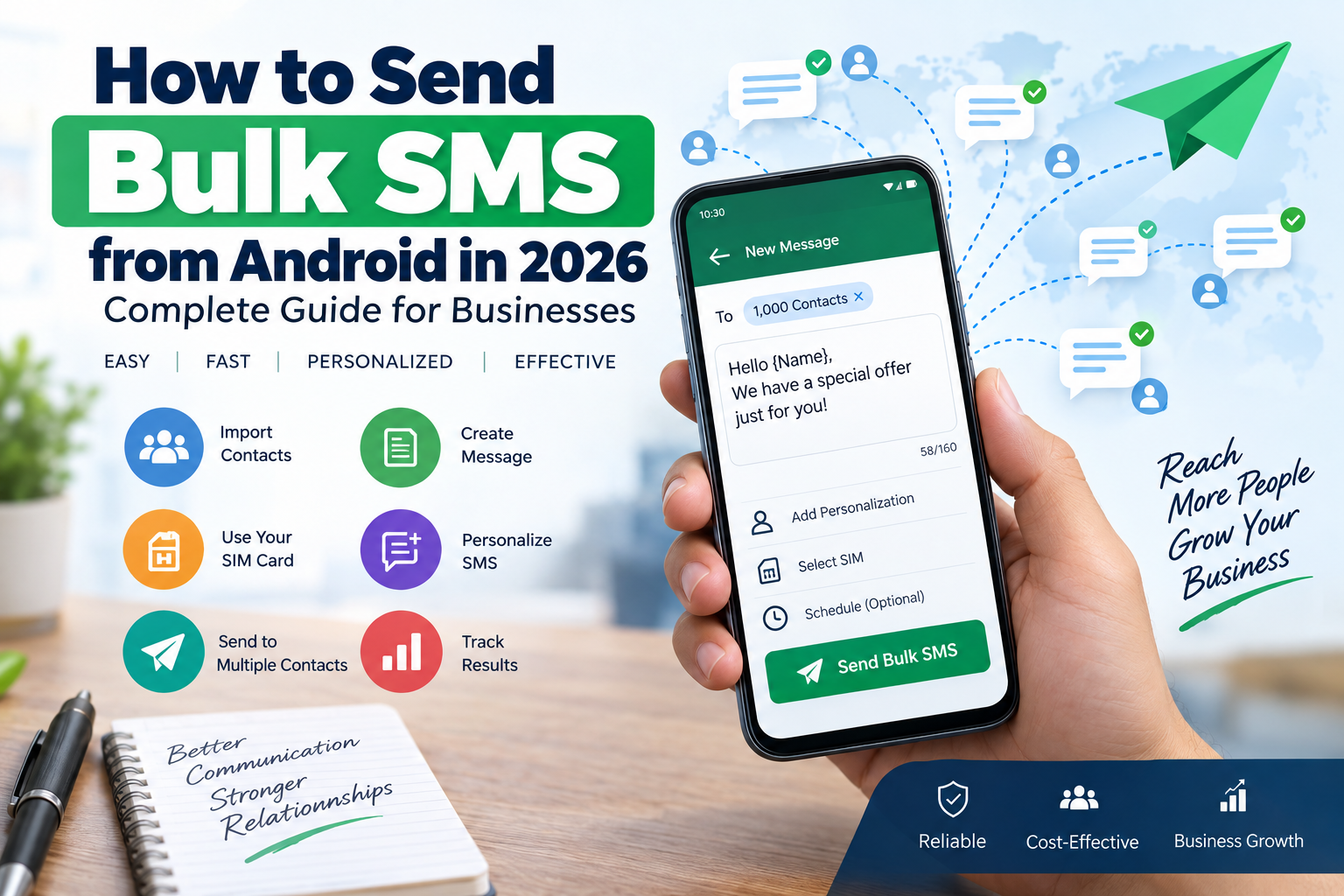
With the right Android bulk SMS solution, you can import contacts, create a message, personalize it, manage campaigns, and send messages to multiple recipients from an Android phone or SIM-based setup.
However, there is an important distinction between sending bulk SMS from an Android device and using a professional SMS gateway. There is also no universal guarantee that a mobile SIM can send an unlimited number of SMS without carrier, device, Android, or regulatory restrictions.
In this guide, we explain how Android bulk SMS works, what you need, how to prepare your contact list, how to send campaigns, what limitations you should understand, and when you should consider a dedicated SMS gateway.
What Is Bulk SMS from Android?
Bulk SMS means sending a common or personalized text message to a large group of recipients.
Instead of opening your messaging application and sending the same message individually, bulk SMS software can automate the process.
For example, a business may have a contact list containing:
- 100 customers
- 500 customers
- 1,000 customers
- Several thousand opted-in contacts
A bulk SMS application can use that list to organize and process messages more efficiently.
A typical workflow looks like this:
Contact List → Import Contacts → Create Message → Select SIM/Device → Start Campaign → Monitor Sending
Depending on the software and Android version, the actual sending mechanism can use the phone’s SMS capabilities or another messaging infrastructure.
Android provides SMS functionality through its telephony framework, including the SmsManager APIs used by applications that have the appropriate permissions.
Can You Really Send Unlimited Bulk SMS from an Android Phone?
This is one of the most common questions.
The short answer is: you should not interpret “unlimited bulk SMS” as a guarantee of unlimited messages from one SIM card.
The practical sending capacity can depend on several factors, including:
- Mobile carrier policies
- SIM restrictions
- Device capabilities
- Android version
- SMS permissions
- Network availability
- Message length
- Number of recipients
- Sending speed
- Anti-spam controls
- Regulatory requirements
- The software being used
Android itself provides APIs for SMS operations, but that does not mean an application can bypass carrier or regulatory restrictions. Android’s documentation also shows that SMS capability can depend on both the device and subscription.
Therefore, a more accurate way to describe an Android bulk SMS application is:
“Send bulk SMS efficiently from your Android device, subject to your carrier, device, software, and applicable messaging rules.”
For very large campaigns, a dedicated SMS gateway or messaging provider is usually a more scalable architecture.
Why Use an Android Bulk SMS Application?
Businesses often choose an Android-based solution because it can be simpler to deploy than building a complete cloud messaging infrastructure.
1. Use an Existing Android Device
You can use a compatible Android smartphone or Android device as part of your SMS workflow.
2. Manage Large Contact Lists
Instead of manually entering recipients, you can prepare a structured contact list and import it into your bulk messaging software.
3. Save Time
Sending one message at a time can consume significant time. Bulk SMS software automates much of the repetitive work.
4. Personalize Messages
Some applications can use contact fields to create personalized messages.
For example:
Hello {Name}, your appointment is scheduled for tomorrow at 10 AM.
Instead of sending exactly the same text to everyone, the software can replace the name for each recipient.
5. Manage Campaigns More Easily
A dedicated interface can provide features such as:
- Contact management
- Message templates
- Campaign organization
- Sending status
- Failed-message information
- Contact groups
- Import/export
- SIM selection
The exact features depend on the software you use.
What Do You Need to Send Bulk SMS from Android?
Before starting a campaign, prepare the following:
Android Device
Use a compatible Android phone or Android-based SMS device.
Active SIM Card
The SIM should have SMS service enabled and sufficient balance or an applicable SMS plan.
Bulk SMS Software
Use an Android-compatible application designed for bulk messaging.
Contact List
Prepare your recipients in a supported format, such as CSV or another format supported by your application.
Message Content
Prepare your SMS before starting the campaign.
Permission and Consent
Only message people who are appropriate recipients for the communication and follow the applicable rules for commercial messaging.
Step 1: Prepare Your Contact List
A clean contact database is one of the most important parts of a successful bulk SMS campaign.
Your list might contain:
| Name | Mobile Number | Group |
|---|---|---|
| Rahul | +91XXXXXXXXXX | Customers |
| Neha | +91XXXXXXXXXX | Customers |
| Amit | +91XXXXXXXXXX | Leads |
Before importing your contacts, remove:
- Duplicate numbers
- Invalid numbers
- Incomplete numbers
- Old contacts
- Unsubscribed contacts
- Contacts without appropriate permission
Keeping your database clean can reduce failed messages and improve campaign quality.
Step 2: Import Contacts into Your Bulk SMS Software
Depending on the application, you may be able to import contacts from a CSV file or another supported format.
A typical import process is:
- Open the bulk SMS application.
- Go to Contacts.
- Select Import.
- Choose your contact file.
- Map the required columns.
- Validate the numbers.
- Save the contact list.
- Create groups if required.
For example, you can create separate groups for:
- Existing Customers
- New Leads
- Retail Customers
- Dealers
- Students
- Employees
- Event Participants
Segmentation makes it easier to send relevant messages to the right audience.
Step 3: Create Your SMS Message
Your message should be short, clear, and useful.
For example:
Customer Offer
Hello Rahul, enjoy our special weekend offer. Visit our store before Sunday to claim the offer. Thank you!
Or:
Appointment Reminder
Hello Neha, this is a reminder for your appointment tomorrow at 11:00 AM. Please contact us if you need to reschedule.
Avoid unnecessarily long messages because longer text can be divided into multiple SMS segments depending on encoding and carrier handling.
Step 4: Use Message Personalization
Personalization can make bulk SMS campaigns more useful.
Instead of:
Hello Customer, your order is ready.
You can create:
Hello {Name}, your order is ready for pickup.
If the software supports variables, the application can replace {Name} with the corresponding contact name.
Common variables may include:
- Name
- Company
- Order ID
- Appointment Date
- Amount
- Reference Number
- Location
The available variables depend on your bulk SMS application.
Step 5: Select the SIM or Sending Device
If your software supports SIM-based sending, select the appropriate SIM or device.
On dual-SIM Android devices, the available SMS subscription options can depend on the device and Android implementation.
Modern Android versions also provide subscription-level SMS capability information, so software should not assume that every SIM/device combination supports SMS in exactly the same way.
Step 6: Send a Small Test Campaign
Before sending your campaign to the entire database, send a test message.
For example, test it with:
- Your own number
- A colleague’s number
- Another device
- Different mobile operators
Check:
- Message formatting
- Sender information
- Personalization
- Links
- Special characters
- Delivery behavior
- Message length
This simple test can help identify problems before processing a large contact list.
Step 7: Start Your Bulk SMS Campaign
Once everything is verified:
- Select your contact group.
- Select the SMS message.
- Select the sending SIM/device.
- Review the recipient count.
- Start the campaign.
- Monitor the sending process.
A good bulk SMS application should make the campaign status easy to understand.
Depending on the software, you may see information such as:
Total: 1,000
Processed: 850
Sent: 820
Failed: 30
The exact reporting capabilities depend on the application.
Step 8: Review Failed Messages
Not every SMS is guaranteed to be delivered.
Possible reasons include:
- Incorrect phone number
- No network coverage
- SIM problems
- Carrier restrictions
- Device problems
- Recipient unavailable
- Temporary network failure
- Messaging restrictions
Review failed numbers and clean your database before the next campaign.
Android Bulk SMS vs. SMS Gateway
Before choosing your messaging method, understand the difference.
| Feature | Android/SIM-Based SMS | SMS Gateway |
|---|---|---|
| Hardware | Android device required | Usually cloud/API |
| SIM | Usually required | Generally not required |
| Setup | Relatively simple | More technical |
| Scaling | Device/carrier dependent | Designed for larger volumes |
| API Integration | Depends on software | Usually available |
| Automation | Software dependent | Strong automation support |
| Reporting | Software dependent | Usually detailed |
| Large Campaigns | May be limited | Better suited |
| Cost Structure | SIM/carrier dependent | Provider dependent |
An Android-based approach can be useful when you want a simple, device-based solution.
An SMS gateway is generally more appropriate when SMS is part of a larger application, CRM, website, or automated business workflow.
When Should You Use Android Bulk SMS Software?
An Android bulk SMS solution can be useful for smaller organizations and specific operational scenarios.
For example:
Small Businesses
Send customer updates, offers, announcements, and reminders.
Retail Stores
Notify customers about sales, promotions, and new products.
Educational Institutions
Send announcements and reminders to students or parents.
Service Businesses
Send appointment reminders and service notifications.
Event Organizers
Send event information and reminders to registered participants.
Sales Teams
Send approved follow-up messages to existing leads or customers.
The important point is that bulk messaging should be based on legitimate communication and appropriate recipient consent where required.
Bulk SMS for Marketing: What Should You Know?
Marketing SMS requires more care than sending an ordinary personal message.
If you are sending commercial communication, do not simply upload a large phone-number list and start messaging.
Your campaign should consider:
- Recipient consent
- Applicable telecom regulations
- Sender identification
- Message content
- Opt-out requirements
- Frequency
- Data protection
- Carrier rules
For example, in India, TRAI’s framework for commercial communication includes requirements around sender registration, headers, content templates, and consent. TRAI states that commercial communication senders must fulfill the applicable regulatory requirements before sending such communication.
TRAI also defines consent as voluntary permission from a customer to receive commercial communication for a specific purpose, product, or service.
Bulk SMS and DLT in India
Businesses sending commercial SMS in India should understand the Distributed Ledger Technology (DLT) framework used for commercial communications.
Depending on the type of communication, requirements can include:
- Principal Entity registration
- Header registration
- Content template registration
- Consent registration/acquisition where applicable
- Transmission of required identifiers
TRAI’s current guidance specifically lists Principal Entity registration, header assignment, content-template registration, and applicable consent requirements for bulk communications.
The regulatory framework has also been amended over time, so businesses should verify the current requirements with TRAI and their telecom service provider before launching commercial SMS campaigns. TRAI lists the consolidated TCCCPR regulations and subsequent amendments on its website.
Important: An Android bulk SMS application does not remove these regulatory obligations.
How to Avoid SMS Spam Problems
Sending large quantities of unsolicited messages can create problems for both recipients and senders.
Follow these best practices:
Use Permission-Based Contact Lists
Only message people who are legitimate recipients of your communication.
Keep Messages Relevant
Do not send unrelated promotions to customers.
Avoid Excessive Frequency
Even subscribers who opted in can become frustrated by excessive messaging.
Maintain an Opt-Out Process
Give recipients an appropriate way to stop receiving communications where applicable.
Keep Records
Maintain records of how contacts were collected and what permissions were obtained.
Clean Your Database
Remove invalid and unwanted numbers regularly.
TRAI describes unsolicited commercial communication as unwanted communication that does not comply with applicable consent or preference requirements.
How to Write an Effective Bulk SMS
A good SMS should communicate the important information quickly.
A useful structure is:
Brand + Purpose + Key Information + Call to Action
For example:
ABC Store: Weekend Sale starts Friday. Get up to 30% off selected products. Visit our store today.
For a service reminder:
ABC Services: Your service appointment is scheduled for 20 September at 11 AM. Please contact us if you need assistance.
Avoid:
- Excessive capitalization
- Too many emojis
- Misleading claims
- Unnecessary punctuation
- Very long messages
- Unclear sender identity
- Unsolicited promotional content
How to Improve Bulk SMS Delivery
There are several practical ways to improve your campaign quality.
1. Keep Your Contact Database Clean
Invalid numbers increase failures and waste resources.
2. Segment Your Audience
Send different messages to different customer groups.
3. Personalize When Appropriate
Use customer information carefully and only where appropriate.
4. Test Before Sending
Always send a small test batch.
5. Monitor Results
Track successful and failed messages where your software or provider supports reporting.
6. Use a Professional SMS Gateway for Large Volumes
If you are regularly sending large campaigns, consider an SMS gateway instead of relying entirely on a single Android device.
Android Bulk SMS Software vs. Manual SMS
Why use software instead of the standard messaging application?
Manual SMS
You generally have to:
- Select a contact
- Write a message
- Send it
- Repeat the process
This becomes inefficient as the contact list grows.
Bulk SMS Software
A dedicated solution can provide:
- Contact import
- Contact groups
- Message templates
- Personalization
- Campaign management
- Automated processing
- Sending status
- Multiple-device/SIM support, where supported
This can significantly reduce repetitive work.
Common Problems When Sending Bulk SMS from Android
SMS Is Not Sending
Check:
- SIM balance
- Network connection
- SMS capability
- App permissions
- SIM selection
- Device settings
- Carrier restrictions
Android provides APIs for checking and working with device telephony capabilities, but supported behavior can vary by device and subscription.
Some Messages Fail
Check the recipient numbers and network availability.
Sending Is Slow
The speed can depend on the device, carrier, application, and messaging workflow.
The App Cannot Send SMS
Check whether the application has the required permissions and whether the device/subscription supports SMS.
Large Campaigns Become Difficult to Manage
At higher volumes, consider moving to a dedicated SMS gateway or enterprise messaging platform.
Is Android Bulk SMS Better Than Cloud SMS?
There is no single solution that fits every business.
An Android-based approach can be suitable when:
- You want device-based SMS sending.
- Your campaign size is manageable.
- You already have an Android device and SIM.
- You need a relatively simple setup.
- You do not need a complex API infrastructure.
A cloud SMS platform may be more appropriate when:
- You send very large campaigns.
- You need API integration.
- You require detailed delivery reporting.
- You need automated transactional messages.
- SMS needs to integrate with a CRM or website.
- You operate across multiple countries or telecom networks.
The right choice depends on your volume, workflow, budget, technical requirements, and regulatory environment.
Frequently Asked Questions
Can I send bulk SMS directly from an Android phone?
Yes, compatible Android devices and applications can support SMS sending, subject to Android, device, SIM, carrier, and application requirements. Android provides SMS functionality through its telephony APIs.
Can I send unlimited SMS from one SIM?
You should not assume that one SIM can send unlimited SMS. Actual capacity can depend on the carrier, device, software, network, and applicable rules.
Do I need Internet to send SMS from an Android SIM?
Traditional carrier SMS does not require mobile data in the same way that an internet messaging service does, although an application may require internet access for additional features such as license validation, synchronization, cloud contact management, or reporting.
Can I send personalized SMS?
Yes, if the bulk SMS software supports personalization fields. You can potentially use information such as a customer’s name, order number, appointment date, or other supported fields.
Can I import contacts from Excel?
Many bulk SMS applications support CSV-based contact import. Check the application’s supported file formats before preparing your database.
Is bulk SMS legal?
Bulk SMS itself is not inherently illegal, but commercial messaging is subject to applicable telecom, privacy, consent, and anti-spam requirements. In India, businesses sending commercial communication need to follow the applicable TRAI framework.
What is the difference between promotional and service SMS?
Promotional communication generally promotes products, services, offers, or similar commercial activity. Service and transactional communications serve different purposes and may have different regulatory treatment. Always verify the current rules applicable to your specific communication type.
Should I use an Android phone or an SMS API?
For smaller device-based workflows, Android may be convenient. For high-volume, automated, or application-integrated messaging, an SMS API/gateway may provide a more scalable architecture.
Final Thoughts
Bulk SMS remains a practical communication channel for businesses, but the way you approach bulk messaging matters.
An Android bulk SMS application can simplify contact management, message creation, personalization, and campaign sending from a compatible device. However, “bulk” should not be confused with guaranteed unlimited SMS.
For small and moderate device-based campaigns, an Android solution can be a practical option. For larger, automated, or highly integrated messaging operations, a professional SMS gateway may be more appropriate.
Most importantly, maintain a clean contact database, use relevant messages, respect recipient preferences, and follow the telecom regulations applicable to your market.
If you are looking for a practical way to manage bulk SMS from an Android device, choose software based not only on the number of messages it claims to send, but also on contact management, personalization, campaign controls, reporting, device compatibility, and compliance considerations.
The goal should not simply be to send more SMS—it should be to send the right message to the right audience efficiently and responsibly.
